 Meow Quotes
Alpha
Meow Quotes
Alpha
Turn any Discord message into a beautiful quote image — four ways to trigger it, a full Style Editor, and a searchable archive that remembers everything.
📖 What is Meow Quotes?
Meow Quotes is a free Discord bot that converts any text message into a styled image card — the way quotes are meant to be saved.
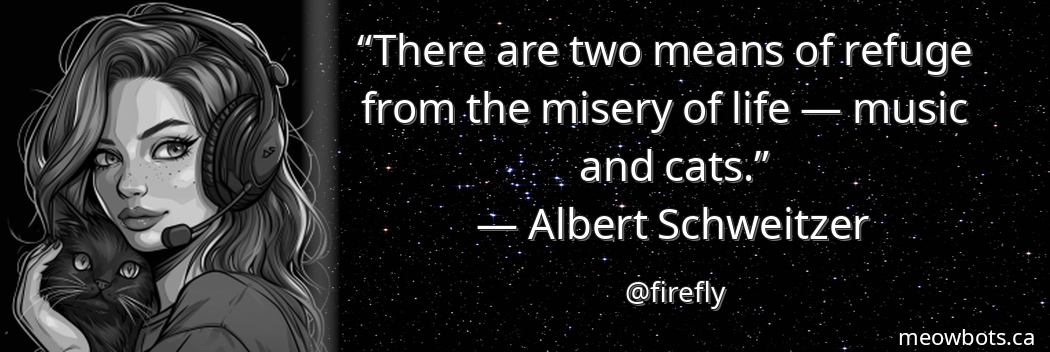
Quote the funniest thing someone said, a memorable moment, or anything worth keeping. The bot renders it as a PNG with the author's avatar, their display name, and the message text — all styled with your choice of background and font colour. Every quote is stored in a per-server archive so nothing disappears into chat history.
The Style Editor lets the person who created the quote tweak the look after the fact — swapping backgrounds, changing font colour, mirroring the avatar, or toggling bold text — and the archive row and mirror channel update in sync. Power users can also bake in style options right from the @mention trigger without opening the editor at all.
💬 Four Ways to Quote
Pick whichever trigger fits your workflow — all four produce the same styled image and save to the archive.
Reply + !quote (prefix command)
Reply to any message and type !quote. The bot renders the quoted message and replies with the image. Fastest for keyboard users.
/quote [message_id] (slash command)
Run /quote with the target message's ID. The message must be in the same channel you're running the command from. To get a message ID: enable Developer Mode in Discord settings, then right-click any message → Copy Message ID.
@mention in a reply
Reply to a message and @mention Meow Quotes in your reply. You can also pass style options inline right after the ping — see the Inline Options section.
Right-click → Apps → Quote
Right-click (or long-press on mobile) any message → Apps → Quote. No typing required — great for mobile use.
🎨 Style Editor
After a quote is created, the person who triggered it gets an ✏️ Edit Style button. Clicking it opens an ephemeral panel with full control over the look.
Any change in the editor re-renders the image and updates both the original quote message and the mirror channel post in real time. The new style is also saved to the archive, so future /randomquote pulls show the latest version.
| Option | Description |
|---|---|
| 🌙 Dark Sky | Deep dark background with subtle gradients — the default look |
| 🎨 Galaxy | Space-toned background with stars and nebula hues |
| 🐱 Cats | Cat pattern background |
| 🐟 Fish Cats | Fish and cat themed background |
| ⚫ Black | Pure black for maximum contrast |
| Option | Description |
|---|---|
| ⚪ White | Clean white text — default |
| ⬛ Black | Black text (best on light backgrounds) |
| 🔴 Red | Solid red |
| 🔵 Blue | Solid blue |
| 🩷 Pink | Pink text |
| 🪄 Auto | Smart colour detection — picks a contrasting colour based on the background |
| 🌇 Sunset | Orange-to-pink gradient text |
| 🌊 Ocean | Teal-to-blue gradient text |
| 🔥 Fire | Red-to-orange gradient text |
| 🍋 Lime | Yellow-to-green gradient text |
| Toggle | What it does |
|---|---|
| 🎨 Color | Toggle the avatar between grayscale (default, the signature MIAQ look) and full colour |
| ↔️ Flip | Mirror the avatar horizontally |
| 🅱️ Bold | Toggle bold text for the quote body |
⚡ Inline Style Options
When using the @mention trigger, you can bake in style flags right in the message — no need to open the editor afterwards.
Add options after the @mention as comma-separated keywords:
| Keyword(s) | What it does |
|---|---|
color / c / colour | Render avatar in full colour instead of grayscale |
flip / f / mirror | Mirror the avatar horizontally |
bold / b | Bold text for the quote body |
@MeowQuotes color, flip gives you a colour avatar mirrored, with the default white text.📚 Archive
Every quote is stored in a per-server archive with a sequential ID. You can pull random quotes, search by text or author, or delete any quote you created.
Pull a random quote
Run /randomquote to get a surprise from the archive. Optionally pass a user to pull only from that person's quotes. A 🎲 Reroll button lets you cycle through more without retyping the command. Can also be set to pull from the mirror channel or a mix of both — configurable in /quoteconfig.
Search the archive
Run /quotes search with a keyword, a user, or both. Returns up to 10 matching quotes with their IDs and a preview of the content.
Delete a quote
Run /quotes delete [id]. You can delete quotes you created; server managers (Manage Guild) can delete any quote.
📺 Mirror Channel
Set a dedicated #quotes channel and every new quote image is automatically reposted there — alongside a jump link back to the original message.
This separates the quote creation (which can happen anywhere) from a clean archive channel where all your best moments collect over time. The mirror post updates in sync with the Style Editor — if someone changes the background after the quote is created, the mirror channel post reflects the change too.
Run /quoteconfig
Open the config panel with /quoteconfig (Manage Guild required).
Pick a mirror channel
Select a text channel from the dropdown. The bot checks it has Send Messages and Attach Files permissions before saving.
Done
Every new quote from any trigger will now automatically dual-post to that channel.
/randomquote to pull from the mirror channel instead of (or in addition to) the database archive — useful if you accept quotes from other bots in your channel too.⚙️ Server Config
All server settings live in a single interactive /quoteconfig panel. No menus to remember — everything is dropdowns and buttons.
| Setting | What it does |
|---|---|
| 📺 Mirror Channel | Choose the channel where every new quote is auto-reposted. Disable with the "Disable Mirroring" button. |
| 🎲 /randomquote source | Control where random quotes come from: Archive only (fast), Mirror channel only (includes quotes from any bot), or Both (random mix each time) |
| 🚫 Block a channel | Prevent messages from a specific channel from being quoted (e.g. staff chat, #rules) |
| 🚫 Block a user | Prevent a specific user from creating quotes on your server |
| ✅ Unblock channel / user | Remove a channel or user from the block list via a follow-up dropdown |
📋 All Commands
Complete command reference. All slash commands work inside Discord servers; context menus appear in the right-click Apps menu.
| Command / Trigger | Permission | What it does |
|---|---|---|
!quote | Anyone | Prefix command — reply to a message and type !quote |
/quote [message_id] | Anyone | Slash command — quote a message by its ID (must be in the same channel) |
@MeowQuotes in a reply | Anyone | @mention trigger — supports inline style options (color, flip, bold) |
| Right-click → Apps → Quote | Anyone | Context menu — no typing required |
| Command | Permission | What it does |
|---|---|---|
/randomquote [user] | Anyone | Post a random quote from the archive (or mirror channel). Optional user filter. Includes a Reroll button. 15s cooldown. |
/quotes search | Manage Messages | Search the archive by text, user, or both. Returns up to 10 results with IDs and previews. |
/quotes delete [quote_id] | Creator or Manage Guild | Remove a quote by its numeric ID |
| Command | Permission | What it does |
|---|---|---|
/quoteconfig | Manage Guild | Interactive config panel — mirror channel, /randomquote source, channel and user blacklists |
/help | Anyone | Ephemeral embed listing all trigger methods and commands |
❓ Frequently Asked Questions
What's the difference between the four trigger methods?
They all produce the same image and save to the archive — the difference is just how you activate them. !quote is the fastest if you're a keyboard person. The right-click context menu is easiest on mobile. /quote is useful when you want to quote something from earlier in the channel without replying. The @mention trigger is great when you want to add inline style flags at the same time.
Can I change the style after the quote is posted?
Yes — click the ✏️ Edit Style button that appears on every new quote. You can swap the background, font colour, gradient, and avatar options. The image updates live and the archive saves the new style. The button is only available to the person who created the quote, and times out after 5 minutes.
What does the mirror channel do?
It's a dedicated channel where every quote is automatically reposted alongside a jump link to the original message. This keeps a clean visual archive in one place, regardless of where in the server the quote was triggered. Set it up in /quoteconfig.
Can /randomquote pull from my existing #quotes channel (with quotes from other bots)?
Yes. In /quoteconfig, change the /randomquote source to "Channel only" or "Both" and point the mirror channel at your #quotes channel. When set to Channel, the bot scans the channel history (up to 5,000 messages, cached for 10 minutes) and picks a random bot image post.
Can I prevent certain channels or users from being quoted?
Yes — use /quoteconfig to block specific channels (messages there can't be quoted) or specific users (they can't trigger quotes). Both can be unblocked through the same panel. Global spam abusers are automatically blocked after repeated violations.
Ready to save your best moments?
Add Meow Quotes free — four trigger methods, a full Style Editor, and a searchable archive.