Meow Manager
A complete Discord server management bot. Moderation, detailed audit logging for 20+ event types, support tickets, member applications, natural-language reminders, sticky messages, auto threads, and bump reminders — all in one bot, all free.
🐾 What is Meow Manager?
Meow Manager is a free Discord server management bot built to handle the day-to-day work of running an active community — so your moderation team doesn't have to do it manually.
On the moderation side it covers bans, kicks, mutes with auto-unmute, warnings, lockdowns, and bulk message clearing with filters. Every significant action is logged to a configurable audit log channel so your team always has a paper trail.
The quality-of-life features are what set it apart: a natural-language reminder system that understands phrases like "remind me in 2 hours" and "every day at 8am", sticky messages that re-post themselves whenever they get pushed up by new messages, auto threads under media posts, a modal-driven ticket system with claim buttons, and a Disboard bump reminder that automatically counts down and pings when it's time to bump again.
⚡ Getting Started
Add the bot and run /setup to walk through your log channel, mute role, and first-time configuration. Most features are ready to use immediately after setup.
Add Meow Manager to your server
Click "Add to Server" above. The bot requests Administrator permission to cover all moderation and logging use cases. You can restrict this after adding if you prefer — see /help setup for minimum per-feature permission requirements.
Run /setup
Run /setup (requires Manage Guild). The interactive menu walks through configuring your log channel, mute role, and other defaults. Current settings are shown for each feature — you can re-run /setup any time to see or change them.
Verify logging is working
Once your log channel is set, try editing or deleting a test message. You should see an audit log embed appear in your log channel within a second or two. If logging seems off, run /server_info to see your current config, then /fix_logging #log-channel to reset it.
/help [category] for categorised command lists. Available categories: setup, moderation, logging, tickets, reminders, sticky, threads.🔨 Moderation
A full suite of moderation slash commands. Every action is logged to your audit log channel with full context — who did it, who it was done to, and why.
Mutes apply a configurable mute role and schedule an automatic unmute at the specified duration. Durations use natural language: 30m, 2h, 7d, or longer text like 30 minutes all work. The /lockdown command can target a single channel or your entire server at once.
Bulk message clearing supports three optional filters: delete messages from a specific user, delete only messages containing a specific keyword, or both together. This makes it much faster to clean up after raids or spam events without deleting unrelated messages.
| Command | Permission | What it does |
|---|---|---|
/ban | Ban Members | Ban a member with an optional reason and optional message deletion (days) |
/kick | Kick Members | Kick a member with an optional reason |
/mute | Manage Roles | Apply the mute role with auto-unmute at a specified duration (e.g. 30m, 2h, 7d) |
/unmute | Manage Roles | Remove the mute role early |
/unban | Ban Members | Lift a ban by user ID |
/warn | Moderate Members | Record a warning against a member |
/warnings | Moderate Members | Paginated warning history — one member or all |
/infractions | Moderate Members | Paginated infraction history (kicks, bans, mutes) |
/lockdown | Manage Channels | Lock a channel or the entire server, with optional reason |
/clear | Manage Messages | Bulk-delete messages — optionally filtered by user or keyword. Discord only allows bulk-deletion of messages under 14 days old; older messages are skipped automatically |
📋 Audit Logging
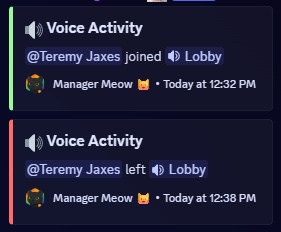
Detailed logging for 20+ Discord event types, all sent as structured embeds to your configured log channel. Know exactly what's happening in your server at all times.
Events are grouped into categories — you can enable or disable entire categories or individual event types with /logs. Role changes and channel permission changes are batched intelligently so 50 simultaneous role changes produce one log message, not 50.
| Command | Permission | What it does |
|---|---|---|
/logs | Manage Guild | Configure which events log and to which channel — interactive menu |
/ignore | Manage Guild | Add channels or users to the ignore list — their events won't be logged |
/fix_logging | Manage Guild | Emergency reset — sets log channel and re-enables all logging in one command |
/server_info | Anyone | Snapshot of your current bot config — log channel, mute role, ignored lists, every event toggle |
/server_info first — it shows exactly what's configured. Then run /fix_logging #your-log-channel for a one-command reset that re-enables everything.🎫 Support Tickets
A modal-driven ticket system. Members open tickets through a button in a public channel; the bot creates a private thread and notifies your support team.
Each ticket has a sequential number and is tracked in a staff dashboard. Tickets have persistent Claim and Close buttons that survive bot restarts — your team can claim a ticket to show they're handling it, and close it when it's resolved. All of this is managed inside private threads so the ticket conversation stays contained.
Run /ticket setup
Run /ticket setup to choose your public ticket channel (where the "Create Ticket" button lives), your admin/management channel (where staff actions are posted), and the staff role to notify on new tickets.
Members open tickets
Members click the "Create Ticket" button in your ticket channel. A modal appears asking for a category and description. The bot creates a private thread, posts the ticket details, and pings your staff role.
Staff claim and close
Staff click Claim inside the ticket thread to indicate they're handling it. Click Close when done. Both buttons are persistent — they keep working even if the bot restarts between ticket open and close.
| Command | Permission | What it does |
|---|---|---|
/ticket setup | Manage Guild | One-time setup — pick ticket channel, admin channel, and notify role |
/ticket create | Anyone | Open the ticket modal directly (alternative to the button) |
/ticket dashboard | Manage Guild | View all open, claimed, and closed tickets |
📝 Member Applications
If your server uses Discord's membership-screening feature to vet new members, Meow Manager monitors application submissions in real time and posts them to a configured log channel for your team to review.
Each new application posts as an embed with an "I'm Interviewing" button. When a moderator clicks it, the embed updates in-place to show who has claimed the interview — so multiple mods don't end up working the same applicant. Application history persists in a local file so it survives bot restarts.
/test_join_requests to confirm the bot is wired up correctly for your server.⏰ Reminders
Personal reminders with full timezone support, recurring options, and natural language parsing. Set reminders in plain English — no date formatting required.
The parser understands a wide range of inputs: "in 2 hours", "tomorrow at 9am", "next Monday", "every day at 8am", "in 30 minutes". Recurring reminders survive bot restarts. When a reminder fires, it includes a Reschedule button so you can push it forward without retyping it.
Set your timezone once with /timezone and future-dated reminders will always fire at the right local time. The bot stores timezone per user, not per server — so your preferences carry across every server where Meow Manager is installed.
Set your timezone
Run /timezone US/Eastern (or your IANA timezone). This only needs to be done once. Check it any time with /mytimezone.
Set a reminder
Run /remind with a natural-language time and a message. Examples: /remind when:"every day at 8am" message:"Post the daily update" or /remind when:"in 2 hours" message:"Check the ticket queue".
Manage reminders
Run /myreminders to see all your active reminders with their IDs. Delete one with /deletereminder [id] or clear them all with /deleteallreminders.
| Command | What it does |
|---|---|
/remind | Set a reminder with natural-language time (supports recurring: "every day at 8am") |
/myreminders | List all your active reminders |
/deletereminder | Delete a specific reminder by ID |
/deleteallreminders | Delete all your reminders (asks for confirmation) |
/timezone | Set your timezone (IANA format, e.g. US/Eastern, Europe/London) |
/mytimezone | See your current saved timezone |
📌 Sticky Messages
Pin a message to the bottom of a channel. When new messages push it up, the bot automatically reposts it — keeping important announcements or rules always visible at the bottom of the channel.
The bot only acts when it actually needs to repost — it doesn't poll on a timer. Each channel has a 15-second cooldown to prevent the sticky from spamming during busy chat bursts. Multiple channels can each have their own independent sticky message.
| Command | Permission | What it does |
|---|---|---|
/sticky set | Manage Channels | Set a sticky message for a channel |
/sticky edit | Manage Channels | Update the content of an existing sticky |
/sticky remove | Manage Channels | Remove the sticky from a channel |
/sticky list | Manage Channels | List all active stickies in the server |
🧵 Auto Threads
Automatically create a discussion thread under every new post in a channel. Ideal for media channels, showcase channels, or any channel where you want each post to have its own conversation space.
Thread creation is per-channel and handles burst posts safely — if multiple members post at the same time, each post still gets its own thread without hitting Discord's rate limits.
| Command | Permission | What it does |
|---|---|---|
/autothread enable | Manage Channels | Enable auto-threading in a channel |
/autothread disable | Manage Channels | Disable auto-threading in a channel |
/autothread view | Manage Channels | List all channels with auto-threading enabled |
/autothread help | Manage Channels | Help text and usage notes |
👋 Role Welcome Messages
Send a customised welcome message to a channel whenever a member receives a specific role. Useful for welcoming members who pass an application, get approved into a tier, or earn a special role.
Each role can have its own welcome message and its own target channel. The message template supports {user} (member mention) and {role} (role name) placeholders. Use /rolewelcome test to preview a welcome before enabling it for real members.
| Command | Permission | What it does |
|---|---|---|
/rolewelcome setup | Manage Roles | Configure a role welcome — pick the role, channel, and message text |
/rolewelcome remove | Manage Roles | Remove a role welcome config |
/rolewelcome list | Manage Roles | See all configured role welcomes |
/rolewelcome test | Manage Roles | Fire the welcome message for a role manually to preview it |
/rolewelcome help | Manage Roles | Help text and placeholder guide |
📣 Bump Reminders
Automatically track Disboard bumps and remind your team exactly when the 2-hour cooldown is up — so you never miss a bump window again.
When someone bumps your server on Disboard, Meow Manager detects the confirmation message and starts a 2-hour countdown. When the timer fires, it pings your configured roles in the configured channel so someone knows to bump again. The countdown persists through bot restarts — if the bot goes offline and comes back, it picks up where it left off.
| Command | Permission | What it does |
|---|---|---|
/bumpreminder | Manage Guild | Configure the bump reminder channel and the roles to ping when it's time to bump |
💡 Suggestions
A full suggestion system where members submit ideas, vote on them with reactions, and staff approve, consider, or deny them — all tracked with a numbered archive and a reviewer leaderboard.
Each suggestion gets a sequential number per server and its own thread automatically. Staff respond from a configured log channel — approving, considering, or denying — and the original suggestion embed updates in-place to reflect the decision. If multiple people suggest at the same time, numbers are assigned atomically so there are no duplicates. Vote counts are throttled so rapid reactions don't hammer Discord's rate limits.
Configure the suggestion system
Run /suggest setup (Manage Guild) to choose the public suggestions channel and the staff log channel where approval actions happen.
Members submit suggestions
Run /suggest with a title and description (up to 2,000 characters). Optionally pass anonymous:True to hide your name from the public embed. The bot posts a numbered suggestion embed and opens a thread for discussion.
Community votes
Members react to the suggestion embed to vote. Vote totals update on the embed as votes come in — throttled to avoid rate limits during popular suggestions.
Staff approve, consider, or deny
Staff act from the log channel. The original suggestion embed updates in-place to show the decision status. The thread stays open for continued discussion.
| Command | Permission | What it does |
|---|---|---|
/suggest | Anyone | Submit a suggestion with title + description. Optional anonymous flag hides your name on the public embed |
/appstats | Anyone | Leaderboard of top member application reviewers — who's claimed the most interviews |
/bumpstats | Anyone | Leaderboard of who has bumped the server most on Disboard |
🔧 Utility Tools
A handful of practical commands available to all members.
| Command | What it does |
|---|---|
/userinfo | Full user info — avatar, account created date, server join date, roles, and permissions |
/avatar | Full-size avatar image for yourself or any member |
/convert | Convert distance, weight, temperature, or currency between units |
/translate | Translate text to English — auto-detects the source language |
/help | Categorised help — pass a category name for a focused list |
📋 All Commands
Complete command reference. All commands are Discord slash commands.
| Command | Permission | What it does |
|---|---|---|
/ban | Ban Members | Ban with optional reason and message deletion |
/kick | Kick Members | Kick with optional reason |
/mute | Manage Roles | Mute with duration and auto-unmute |
/unmute | Manage Roles | Remove mute early |
/unban | Ban Members | Lift a ban by user ID |
/warn | Moderate Members | Record a warning |
/warnings | Moderate Members | Paginated warning history |
/infractions | Moderate Members | Paginated infraction history |
/lockdown | Manage Channels | Lock a channel or the whole server |
/clear | Manage Messages | Bulk delete with optional user/keyword filter (messages under 14 days only) |
| Command | Permission | What it does |
|---|---|---|
/logs | Manage Guild | Configure log events and channel |
/ignore | Manage Guild | Ignore channels or users from logging |
/fix_logging | Manage Guild | Emergency logging reset |
/server_info | Anyone | View current bot config |
| Command | Permission | What it does |
|---|---|---|
/ticket setup | Manage Guild | Configure ticket system |
/ticket create | Anyone | Open a ticket directly |
/ticket dashboard | Manage Guild | View all tickets |
| Command | What it does |
|---|---|
/remind | Set a reminder (supports natural language and recurring) |
/myreminders | List active reminders |
/deletereminder | Delete a reminder by ID |
/deleteallreminders | Clear all reminders |
/timezone | Set your timezone |
/mytimezone | Check your saved timezone |
| Command | What it does |
|---|---|
/sticky set | Set a sticky for a channel |
/sticky edit | Edit sticky content |
/sticky remove | Remove a sticky |
/sticky list | List all stickies |
| Command | What it does |
|---|---|
/autothread enable/disable/view | Auto-thread management |
/rolewelcome setup/remove/list/test | Role welcome messages |
/bumpreminder | Configure Disboard bump reminders |
| Command | What it does |
|---|---|
/suggest | Submit a suggestion (optional anonymous flag) |
/bumpstats | Leaderboard of top Disboard bumpers |
/appstats | Leaderboard of top application reviewers |
| Command | What it does |
|---|---|
/userinfo | Member info — dates, roles, permissions |
/avatar | Full-size avatar |
/convert | Unit conversion |
/translate | Translate to English |
/setup | Interactive first-time setup |
/help | Categorised help |
❓ Frequently Asked Questions
Does Meow Manager log messages in all channels?
It logs events in any channel it can see. If you want to exclude a channel from logging — for example a staff channel — use /ignore channel #staff-chat to add it to the ignore list. Ignored channels still show in Discord but their events won't appear in your log channel.
What if logging suddenly stops working?
The most common cause is the log channel being deleted or the bot losing permission to post in it. Run /server_info to check your current config, then /fix_logging #new-log-channel to reset everything in one command.
Do recurring reminders survive if the bot restarts?
Yes. Reminders are stored in the database, not in memory. When the bot restarts it reads all active reminders and reschedules them automatically. You won't miss a recurring reminder due to bot downtime.
Can I have the ticket button in a specific channel?
Yes — /ticket setup lets you choose exactly which channel hosts the "Create Ticket" button and which channel receives staff notifications. These can be the same channel or different ones depending on your server layout.
Do ticket Claim and Close buttons break if the bot restarts?
No. Both buttons are persistent — the bot registers them on startup so they keep working regardless of restarts. If a ticket message was deleted while the bot was offline, the bot can't restore it, but new tickets will work normally.
Take control of your server 🐾
Free to add — moderation, logging, tickets, reminders, and more in one bot.